
Text messaging
How people opt in to texts from Pawprints practices
Veterinary practices use Pawprints to text their own clients about the visits those clients booked, and practice staff can choose to receive their own login codes by text. This page is the public record of how each kind of consent is collected and recorded, what gets sent, and how to stop it.
Last updated: October 14, 2026
Who sends the messages
The sender is the veterinary practice, not Pawprints. Pawprints Veterinary Software (operated by Paw Prints On Your Heart LLC) registers and operates the messaging service on each practice’s behalf. Every practice sends from a number provisioned for its exclusive use and is identified to recipients by its own business name. Practices sending today include Twilight Meadows Mobile Veterinary Services (Raleigh, North Carolina, from (919) 899-2804), Peaceful Moments Veterinary Care (Kalamazoo, Michigan), Forget-Me-Not Veterinary (Irmo, South Carolina) and Island Paws Mobile Vet (Kapaau, Hawaii). Staff login codes are sent in the name of Pawprints Veterinary Software.
What gets sent
Messages go to two audiences, and nothing is marketing or promotional.
- To pet owners who are the practice’s own clients and have opted in. Everything relates to a visit the client scheduled: a confirmation when it is booked, a reminder before it, a note when the veterinarian is on the way with an arrival time, a check-in after the visit, and visit-related items the client asked for, such as a link to sign a consent form, a secure link to pay, a notice that a pet’s remains are ready, or a reminder that the client’s own pet is due for care. Links, where present, point only to pages on app.pawprintsvetsoftware.com and are never shortened.
- To the practice’s own staff who have opted in on their profile. One-time login codes and account notices about their own Pawprints account.
Message frequency follows the client’s own appointments, typically one to four messages per booked appointment. Message and data rates may apply.
How a person opts in
There are four ways consent is given. Each one is optional, is recorded with its date and time, and is never a condition of receiving veterinary care or of employment. Every consent box is unchecked by default, so nothing is recorded unless someone actively ticks it.
1. Recorded by a staff member, by phone or in person
Many of these practices care for pets in the family’s home and take bookings by phone or in person. When a pet owner books, a staff member reads them the consent statement below, which names the practice and states that message frequency varies, that message and data rates may apply, and that they can reply STOP at any time or HELP for help. Only if the pet owner agrees does the staff member tick the box.
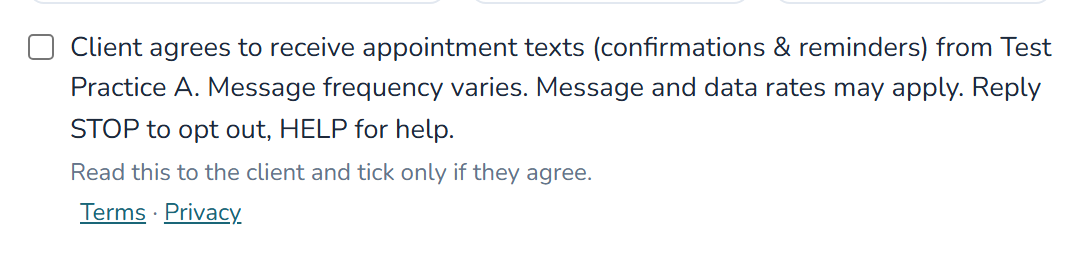
The checkbox is labelled, word for word:
Client agrees to receive appointment texts (confirmations & reminders) from [practice name]. Message frequency varies. Message and data rates may apply. Reply STOP to opt out, HELP for help.
Read this to the client and tick only if they agree. · Terms · Privacy
2. By the pet owner themselves, on the practice’s own web form
A practice can also take requests and bookings online, through a form Pawprints hosts for it. A pet owner requesting or booking a visit there sees the same disclosure, worded for them to read for themselves, beside an unchecked box under the phone field, with links to the Terms and the Privacy Notice. The box appears only on forms for practices that have a texting number, and the form sends whether or not it is ticked.
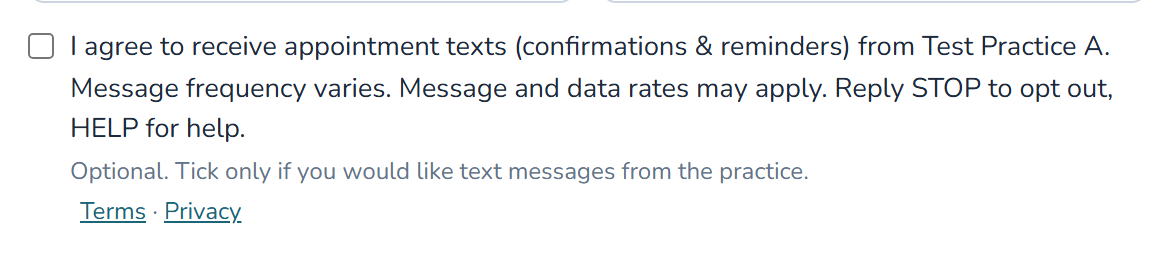
On both forms the checkbox is labelled, word for word:
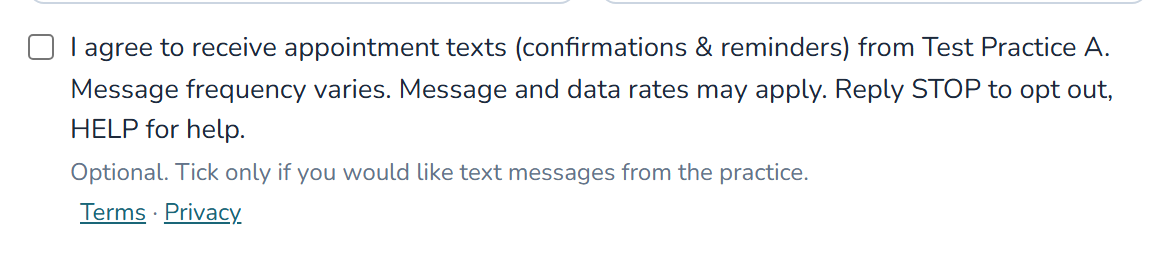
I agree to receive appointment texts (confirmations & reminders) from [practice name]. Message frequency varies. Message and data rates may apply. Reply STOP to opt out, HELP for help.
Optional. Tick only if you would like text messages from the practice. · Terms · Privacy
When the practice turns that request or booking into a client record, the consent and the moment it was given travel with it, so the client arrives on file already consented. A pet owner who had earlier replied STOP stays opted out regardless.
3. Started by the pet owner, by texting the practice first
A pet owner who texts the practice’s number first receives only a staff member’s replies within that conversation. Automated messages (confirmations, reminders and the rest) still require consent through path 1 or path 2.
4. A staff member, for their own login codes
A practice employee may switch on “Send me login codes and account notifications by text” in their own profile inside Pawprints. It is off by default, and only one-time login codes and account notices about their own account are ever sent to it.
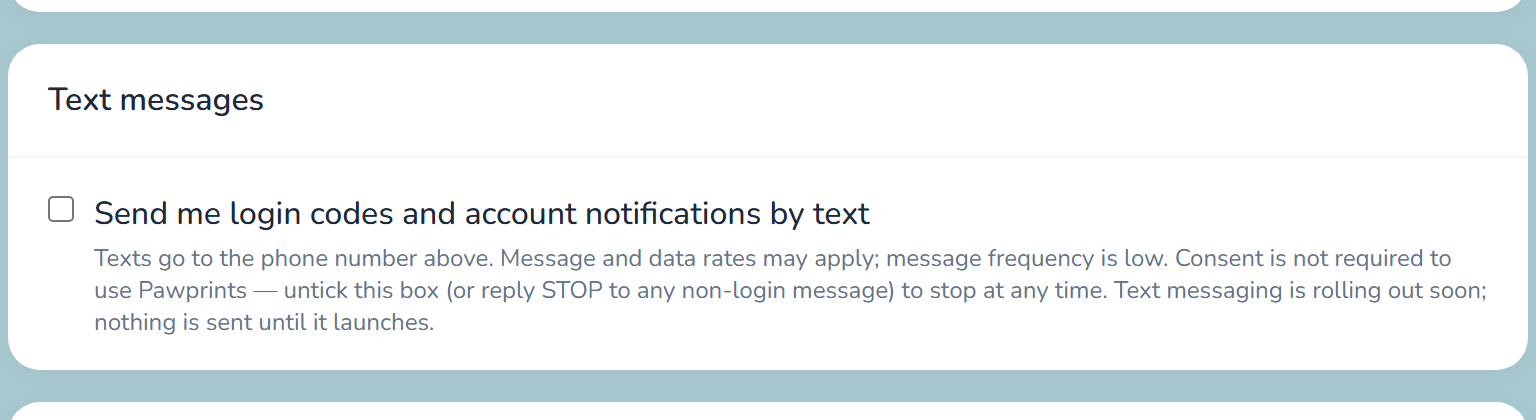
In every case Pawprints stores the date and time consent was recorded, and messages send only to people carrying that record. Consent is optional. A client who declines is contacted by email and phone exactly as before.
Text messaging terms
These are the terms of the Pawprints text messaging program, for every practice that sends through it.
- Program: appointment and account texts from a veterinary practice that uses Pawprints Veterinary Software, sent from that practice’s own number, and one-time login codes to practice staff sent in the name of Pawprints Veterinary Software.
- Consent: you receive texts only after agreeing through one of the four paths above. Consent is optional and is never a condition of receiving veterinary care, of using Pawprints, or of employment. You consent directly to the practice (or, for login codes, to Pawprints), never to a third party.
- Message frequency varies and follows your own appointments, typically one to four messages per booked appointment. Login codes are sent only when you sign in.
- Message and data rates may apply.
- To stop: reply STOP to any message at any time. You will receive one final confirmation text and nothing further. Reply START to rejoin.
- For help: reply HELP to any message, or email support@pawprintsonyourheart.com.
- Your information: mobile phone numbers and text messaging opt-in data and consent are never sold or shared with third parties or affiliates for marketing or promotional purposes. See the Privacy Notice.
- Carriers are not liable for delayed or undelivered messages.
Every message says how to stop
Every text carries an opt-out instruction. A confirmation reads, for example:
Twilight Meadows Mobile Veterinary Services: your appointment for Bella is confirmed for Aug 8 at 10:00 AM. Reply STOP to opt out of texts.
Opting out, or opting back in
Reply STOP to any message. The opt-out is honored immediately at the carrier level and is also recorded in Pawprints, which blocks every further message to that number. Practice staff cannot undo a client’s opt-out. Reply START to begin receiving messages again. Reply HELP for help. A staff member can also untick the box on their profile at any time.
How this information is used
A mobile number and its consent record are used only to send these messages. Mobile phone numbers and text messaging opt-in data and consent are never sold or shared with third parties or affiliates for marketing or promotional purposes. See the Privacy Notice, the text messaging terms above and the Website Terms of Use.
Questions
Email support@pawprintsonyourheart.com. Questions about a specific appointment are best directed to your veterinary practice.